
Top Technology Skills for a Future-Ready IT Career
When Maya decided to explore her next career opportunity, she found herself unsure of which direction to take. Some people in her circle were learning artificial intelligence, while others were building skills in cloud computing and cybersecurity. With so many opinions and recommendations online, choosing the right starting point became confusing. She realized that she did not have to master every technology at once. Instead, she needed to identify the skills that matched her interests and future goals. Like many aspiring IT professionals and experienced workers in the United States, Maya wanted to discover the top IT technology skills that could strengthen her technical knowledge and help her adapt to the evolving demands of the industry.
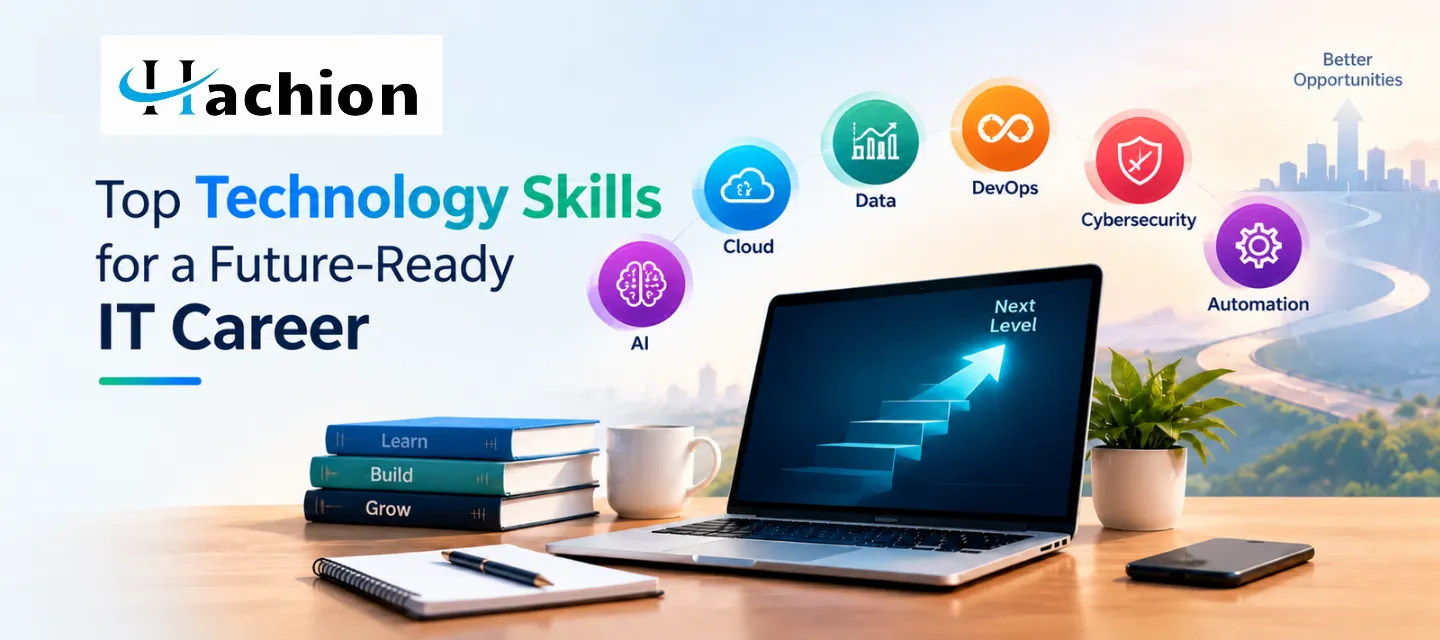
Artificial intelligence, cloud computing, data analytics, DevOps, cybersecurity, and automation each solve different problems.
Six Areas Worth Exploring
Artificial Intelligence Skills
AI helps computers recognise patterns, work with language, and support decisions. You may use it when receiving recommendations or asking a chatbot a question.
Try a small project, such as building a simple chatbot or sorting sample information into categories. Keep a clear record of the approaches you tested, the results you achieved, and the areas you would refine or improve next time.
Start with foundations before moving to advanced models.
Cloud Computing Skills
Teams can use platforms such as Amazon Web Services (AWS), Microsoft Azure, and Google Cloud.
Learn cloud fundamentals first. Understand networking, storage, identity and access management, security, and cost monitoring. In a lab, create a basic cloud environment, set access permissions, and monitor resources.
If you are considering AWS cloud training, review whether the course includes practical labs and clear explanations of core services. Practice safely, understand possible costs, and remove resources when you finish.
Data Analytics Skills
Data becomes valuable when people can understand what it says. Imagine a small online shop whose owner wants to know why sales have fallen. A learner could organize the sales records in Excel, use SQL to answer questions, and create a Power BI dashboard showing changes by product or month.
Begin with spreadsheets, basic statistics, SQL, and data visualization. Later, explore Power BI or Tableau and learn how to explain findings in plain language. Explain the question, method, result, and what the result might mean.
Use public or sample datasets when practicing.
DevOps Skills
DevOps brings software development and IT operations closer together.
Start with Linux commands, Git, and basic scripting. Then learn continuous integration and continuous delivery, often called CI/CD. Once those ideas make sense, explore Docker containers and later Kubernetes. Learn the tools in sequence rather than tackling a full production environment immediately.
For a beginner project, store a small application in Git and create a pipeline that runs tests when code changes. Explain how the pipeline reduces manual work. People exploring DevOps training in the USA can compare course outlines for hands-on exercises, container basics, and deployment practice rather than choosing a program based on its title alone.
https://api.hachion.co/uploads/prod/upload_all_images/Cloud_Courses_Devops_Training_Download.png
Cybersecurity Skills
Cybersecurity protects devices, networks, applications, and information from risks such as weak passwords and exposed systems.
Build a foundation in networking, operating systems, authentication, access controls, and common threats. After that, explore security monitoring, vulnerability management, and incident response. Practice in authorized training labs only; never test systems without permission.
A simple learning exercise could involve reviewing a sample system’s security settings and explaining how stronger access controls reduce risk. Good security practice combines technical knowledge, careful judgment, documentation, and respect for privacy.
Automation Skills
Automation uses scripts or tools to complete repeatable tasks with less manual effort. IT teams may automate file handling, routine checks, testing, data processing, and infrastructure tasks.
Start with a small, safe task, such as renaming sample files or checking a list for missing values. Test your script on copies of files before using it on important data.
Automation can save time and make processes more consistent.
How to Find the Right Learning Path for Your Career Goals
She liked finding patterns and explaining results, so she chose data analytics as her first focus.
Use these questions to narrow your options:
Do you enjoy working with information?
- Explore Excel, SQL, and data visualization.
Do you like building intelligent applications?
- Start with Python and AI fundamentals.
Are systems and infrastructure interesting to you?
- Learn networking and cloud basics.
Do you prefer improving software delivery?
- Study Linux, Git, and CI/CD.
Do you enjoy identifying risks?
- Begin with networking and security fundamentals.
Do you like removing repetitive work?
- Try scripting and workflow automation.
The best technology skills are not necessarily the ones trending on social media. They are the skills connected to your goals and supported by regular practice. Choose one main area, set a realistic weekly schedule, and finish small projects before adding more tools.
What US Learners Should Check Before Choosing a Course
For people researching technology skills and IT skills in demand in the USA, job descriptions can provide a practical starting point. Review several current postings for the role you want and note which tools, qualifications, and responsibilities appear repeatedly.
Employers may also consider projects, communication, problem-solving, relevant experience, and how clearly you explain your decisions.
Compare course curriculum, exercises, instructor support, and projects. Choose a program suited to your level rather than one promising instant results.
Learn with Hachion Online Trainings
Hachion Online Trainings offers technology-focused learning options for people exploring different IT fields. Review the available programs to find one aligned with your interests and experience.
Before enrolling, read the syllabus, check the tools covered, and confirm that the schedule and support fit your needs. Pair training with personal projects.
If you are ready to take a practical next step, explore the courses at Hachion and enroll in a program that fits your learning goals. Start with fundamentals and track your progress.
Final Thoughts
Maya did not need every new tool. She needed a starting point and a plan. Choose one area, learn its foundations, complete projects, and review your progress.
Technology will continue to change. Focus on solving problems thoughtfully, not simply collecting course names. Keep notes about mistakes and solutions; those details make it easier to repeat a task, explain your choices, and recognize how your understanding improves over time.
Frequently Asked Questions (FAQ’s)
1. What are the most useful technology skills to learn?
A: AI, cloud computing, data analytics, DevOps, cybersecurity, and automation are useful areas to explore. The best choice depends on your interests, current knowledge, and the responsibilities of your target role.
2. Which IT skills are suitable for beginners?
A: Beginners can start with Python, SQL, spreadsheets, networking basics, or cloud fundamentals. Choose one subject, practice regularly, and complete a project before moving to advanced tools.
3. How can I identify relevant IT skills for US job opportunities?
A: Review US job postings for the role and location you are interested in. Look for repeated tools, qualifications, and tasks, then use those patterns to guide your learning. Requirements differ by employer.
4. How can I demonstrate my technical skills without professional experience?
A: Create small projects, explain the problem you addressed, document your process, and share suitable work in a portfolio. Be honest about your contribution and what you learned.
5. Can I learn technical skills through Hachion Online Trainings?
A: You can explore available programs through Hachion Online Trainings, compare course content and practical work, and choose a course that matches your goals. Review the syllabus and learning support before enrolling.


