
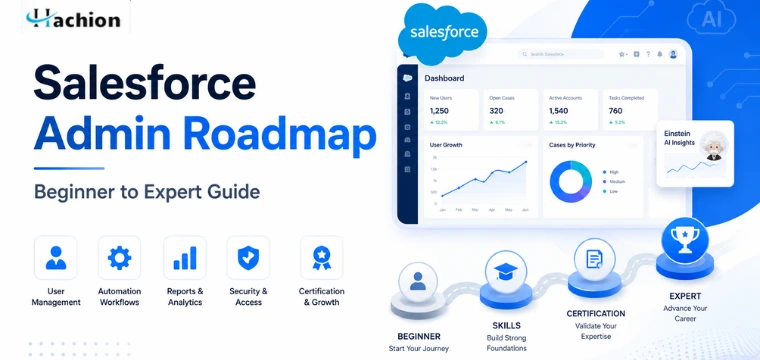
Salesforce Admin Roadmap: Beginner to Expert Guide
Salesforce is one of the world's leading Customer Relationship Management (CRM) platforms, helping businesses manage customers, automate processes, and improve productivity. As more organizations adopt Salesforce, the demand for skilled administrators continues to grow across industries.
If you're planning to build a rewarding career in CRM, this Salesforce Admin Roadmap will help you understand exactly what to learn, when to learn it, and how to become a successful Salesforce Administrator. Whether you're a student, career changer, or working professional, following a structured learning path can save you time and help you achieve your career goals faster.
What Is a Salesforce Administrator?
A Salesforce Administrator is responsible for configuring, maintaining, and optimizing a Salesforce environment. They help businesses customize Salesforce to meet their operational needs without writing extensive code.
Typical responsibilities include:
- Managing users and permissions
- Creating reports and dashboards
- Automating business processes
- Customizing objects and fields
- Maintaining data quality
- Supporting end users
- Implementing security settings
- Improving business workflows
Salesforce Administrators work closely with business teams to ensure the platform supports organizational goals efficiently.
https://api.hachion.co/prod/upload_all_images/CRM_Courses_Salesforce_Admin_Salesforce_book_CTA.webp
Salesforce Admin Roadmap: Step-by-Step Learning Path
A structured Salesforce Admin Roadmap helps you build the right foundation before moving into advanced topics.
Step 1: Learn CRM Fundamentals
Before learning Salesforce, understand basic CRM concepts.
Topics to learn:
- What is CRM?
- Customer lifecycle
- Sales process
- Marketing process
- Customer service workflows
- Business automation
Understanding these concepts makes Salesforce much easier to learn.
Step 2: Understand the Salesforce Platform
Become familiar with the Salesforce ecosystem.
Learn about:
- Salesforce Lightning Experience
- Navigation
- App Launcher
- Setup Menu
- Standard Objects
- Custom Objects
- Tabs
- Record Types
Spend time exploring the platform to gain confidence.
Step 3: Learn Data Management
Data is one of the most important parts of Salesforce.
Focus on learning:
- Fields
- Objects
- Relationships
- Import Wizard
- Data Loader
- Duplicate Management
- Data Validation
- Backup Best Practices
Good data management improves reporting accuracy and business decisions.
Step 4: User Management and Security
Every Salesforce Administrator must understand how to manage users securely.
Learn:
- Users
- Profiles
- Permission Sets
- Roles
- Sharing Rules
- Organization-Wide Defaults
- Login Access
- Security Best Practices
Security is one of the most important responsibilities of an administrator.
Step 5: Reports and Dashboards
Organizations rely on reports for business insights.
Master:
- Report Types
- Filters
- Summary Reports
- Matrix Reports
- Joined Reports
- Dashboard Components
- Dashboard Scheduling
Being able to create meaningful dashboards is a highly valued skill.
Step 6: Automation
Automation saves time and reduces manual work.
Learn:
- Flow Builder
- Approval Processes
- Email Alerts
- Validation Rules
- Assignment Rules
- Escalation Rules
Flow Builder is now the preferred automation tool in Salesforce and should be a major focus area.
Step 7: Customization
Customize Salesforce according to business requirements.
Topics include:
- Custom Objects
- Page Layouts
- Record Types
- Compact Layouts
- Dynamic Forms
- Validation Rules
- Formula Fields
Customization allows businesses to adapt Salesforce without coding.
Step 8: AppExchange
Explore Salesforce AppExchange to extend platform functionality.
Learn how to:
- Install apps
- Evaluate applications
- Configure packages
- Manage integrations
Many companies use third-party solutions from AppExchange to improve productivity.
Step 9: Salesforce Certification
After building your skills, prepare for the Salesforce Admin Certification.
Certification topics generally include:
- Configuration
- Security
- Automation
- Reports
- Data Management
- User Setup
- Productivity Tools
A certification validates your skills and increases your credibility with employers.
Step 10: Gain Practical Experience
Employers value hands-on experience.
Practice by:
- Creating your own Salesforce org
- Building automation workflows
- Designing dashboards
- Managing users
- Creating custom applications
- Completing Trailhead modules
- Working on real-world projects
The more projects you complete, the stronger your portfolio becomes.
Essential Skills Every Salesforce Administrator Should Have
Technical Skills
- Salesforce Administration
- CRM Concepts
- Flow Builder
- Reports & Dashboards
- Security Management
- Data Import & Export
- Automation
- Business Process Configuration
Soft Skills
- Communication
- Problem Solving
- Business Analysis
- Time Management
- Documentation
- Team Collaboration
Employers often look for candidates who combine technical expertise with strong business communication skills.
Recommended Learning Resources
To become job-ready, combine multiple learning methods.
Recommended resources include:
- Salesforce Trailhead
- Practice Projects
- Mock Interviews
- Certification Practice Tests
- Live Instructor-Led Training
- Community Forums
- Business Case Studies
Learning from real projects helps you understand how Salesforce is used in different industries.
Career Opportunities After Learning Salesforce Administration
A Salesforce Administrator can pursue several career paths, including:
- Salesforce Administrator
- Junior Salesforce Consultant
- CRM Administrator
- Salesforce Business Analyst
- Salesforce Support Specialist
- Salesforce Consultant
- Salesforce Project Coordinator
With experience, professionals can advance into senior administrator, consultant, architect, or management roles.
Why Choose Hachion for Salesforce Training?
Learning from experienced professionals can make your journey much easier. At Hachion, we offer comprehensive online Salesforce training designed for beginners and working professionals.
Our Salesforce training includes:
- Live online instructor-led sessions
- Hands-on projects based on real business scenarios
- Salesforce certification guidance
- Interview preparation sessions
- Resume-building support
- Mock interviews
- Flexible learning schedules
- Lifetime access to learning resources
- Career guidance and placement assistance
Whether you're starting from scratch or looking to upgrade your skills, Hachion's practical approach helps you gain the confidence needed to succeed in a Salesforce career.
If you're ready to begin your Salesforce journey, enroll in Hachion's online training for Salesforce training program and take the first step toward becoming a skilled Salesforce Administrator.
Conclusion
A successful Salesforce career starts with a clear learning path. By following this Salesforce Admin Roadmap, you can build a strong foundation in CRM concepts, platform administration, security, automation, reporting, and customization. Consistent practice, certification, and real-world project experience will help you stand out in the competitive job market.
Remember, becoming a Salesforce Administrator is not just about learning features—it's about solving business problems, improving processes, and helping organizations succeed. Stay consistent, keep practicing, and continue learning as the Salesforce ecosystem evolves.
Frequently Asked Questions (FAQs)
1. What is the Salesforce Admin Roadmap?
A: The Salesforce Admin Roadmap is a structured learning path that helps beginners learn CRM concepts, Salesforce administration, automation, security, reporting, customization, and certification preparation.
2. How Much Time Is Required to Become a Salesforce Administrator?
A: Most learners can become job-ready within three to six months with consistent learning, practical projects, and certification preparation.
3. Is Salesforce Administration a good career?
A: Yes. Salesforce Administration is one of the fastest-growing career paths in the CRM industry, offering competitive salaries and excellent career growth opportunities.
4. Is coding knowledge required to become a Salesforce Administrator?
A: No. Most Salesforce Administrator tasks do not require coding. The platform provides many no-code and low-code tools for customization and automation.
5. Which certification should I take first?
A: The Salesforce Administrator Certification is the best starting point for anyone beginning a Salesforce career.
6. Can freshers become Salesforce Administrators?
A: Yes. Many fresh graduates and career changers successfully enter the Salesforce ecosystem by gaining practical experience, completing projects, and earning certification.
7. What are the most important skills for a Salesforce Administrator?
A: Key skills include CRM fundamentals, user management, security, automation, Flow Builder, reports, dashboards, data management, and strong communication skills.
8. Why Choose Hachion for Salesforce Training and Career Growth?
A: Hachion provides live online training, experienced instructors, hands-on projects, certification guidance, mock interviews, resume support, and career assistance to help learners become job-ready.


